Foundations & Interface Mastery
Master the desktop interface, executive dashboard KPI analytics, global quick search palette, and keyboard navigation shortcuts.
Learning Objectives
By the end of this guide, you will:
- Understand how offline-first local database storage keeps your business running during internet outages.
- Navigate every section of the desktop interface, sidebar navigation, and document status bar.
- Interpret the real-time financial KPI cards and charts on the Executive Dashboard.
- Master the Global Quick Search Command Palette (
Ctrl+K/Cmd+K) with search filters and instant jump shortcuts. - Use power keyboard shortcuts for lightning-fast daily data entry.
Offline Reliability & Data Protection
Roznamcha Digital is engineered on a simple principle: Your business records belong to you, accessible 100% of the time, even when the internet is completely down.
Key Differences: Roznamcha Digital vs. Traditional Cloud Software
| Feature | Roznamcha Digital | Traditional Cloud Software |
|---|---|---|
| Internet Dependency | Works 100% offline; internet needed only for cloud sync & WhatsApp | Locked out: Business stops when internet goes down |
| Speed & Responsiveness | Instant clicks and queries with zero loading delay | Slow page loads and lag over busy networks |
| Data Ownership | Your database file is stored directly on your computer | Locked inside third-party servers |
| Automatic Protection | Encrypted automatic backups sync whenever you connect online | Often requires expensive backup add-on plans |
| Customer Invoicing | Direct WhatsApp Web document delivery with zero per-message cost | Expensive third-party SMS/gateway fees |
Anatomy of the Desktop Interface
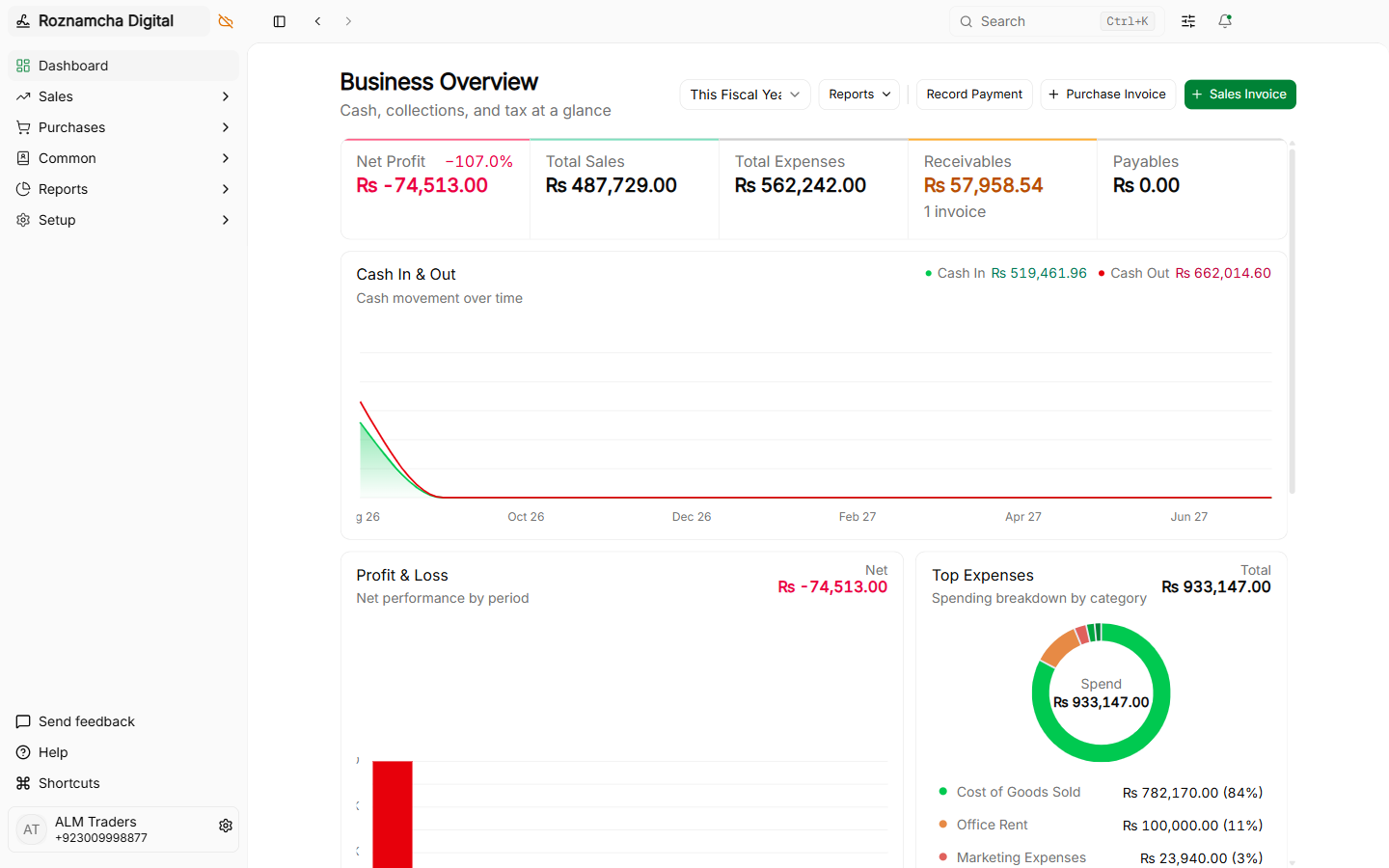
The interface is structured for high productivity, clean readability, and minimal clutter.
The Global Navigation Sidebar
Located along the left edge of your screen, the sidebar organizes your business into functional modules:
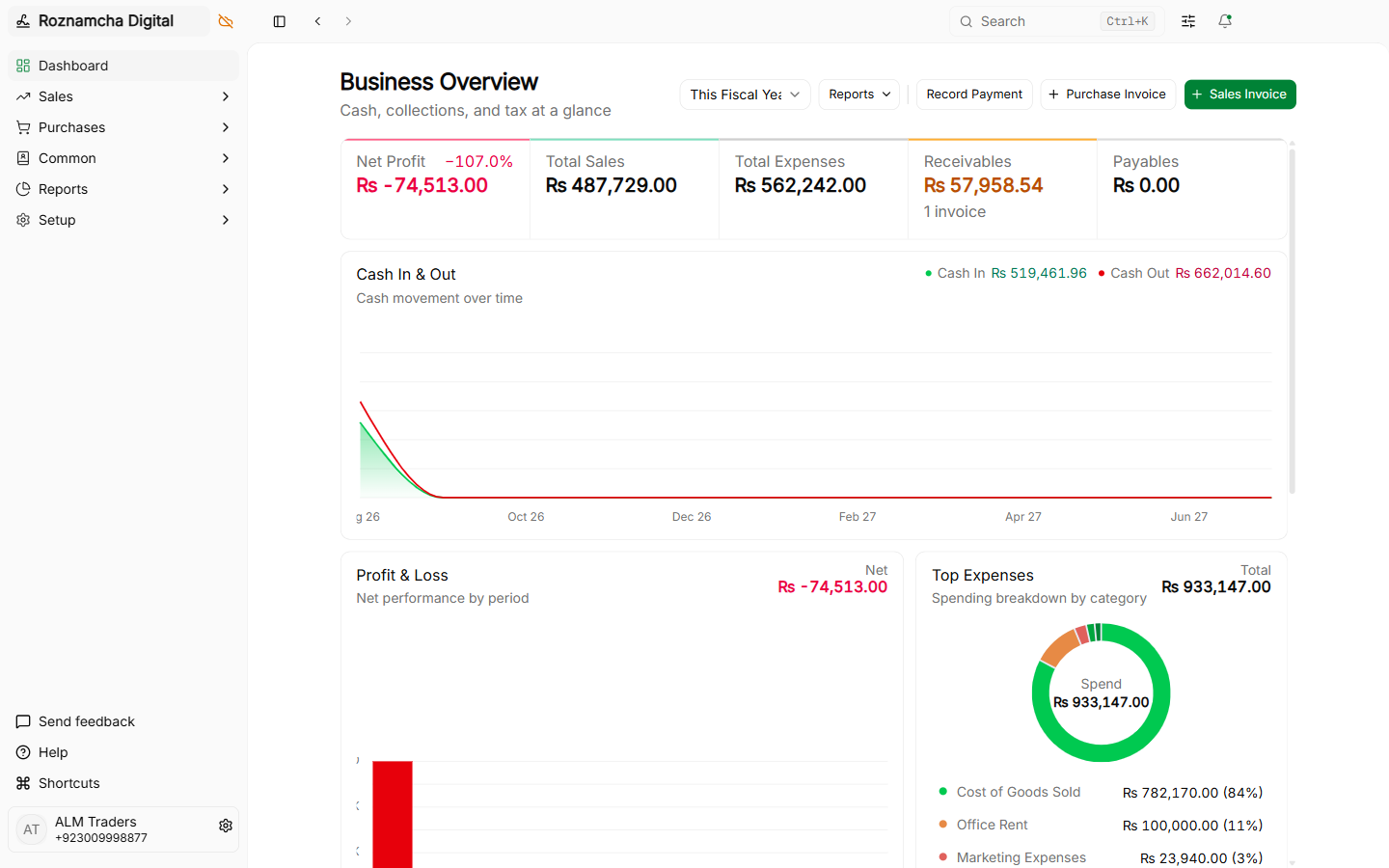
- Dashboard: Real-time overview of revenue, expenses, net profit, cash flow, and debtor balances.
- Accounting: Day-to-day sales invoices, customer receipts, vendor bills, supplier disbursements, credit notes, debit notes, and journal adjustments.
- Master Data: Customer and supplier directories, item catalog, price lists, pricing rules, promotional coupons, loyalty programs, and Chart of Accounts.
- Inventory: Multi-warehouse stock tracking, goods received notes (GRN), delivery shipment challans, and inter-branch stock movements.
- Point of Sale (POS): High-speed counter cashier interface optimized for barcode scanning, split payments, and thermal receipt printing.
- Reports: Financial statements (P&L, Balance Sheet, Trial Balance), General Ledgers, Stock Ledgers, Stock Balances, and Aging reports.
- Settings: Company profiles, custom form fields, document number series prefixes, visual print templates, and system preferences (including Date Format and Time Format).
The Header Action Bar
Every document screen features a sticky top action header:
- Document Status Badge: Instantly shows if a record is
Draft (Not Saved),Draft (Saved),Submitted, orCancelled. - Primary Action: Dynamically updates to
Save,Submit,Record Payment, orPrint. - Secondary Actions Menu: Dropdown containing
Duplicate,Cancel,Print Preview,Export PDF, andShare via WhatsApp.
The Executive Dashboard & Financial Analytics
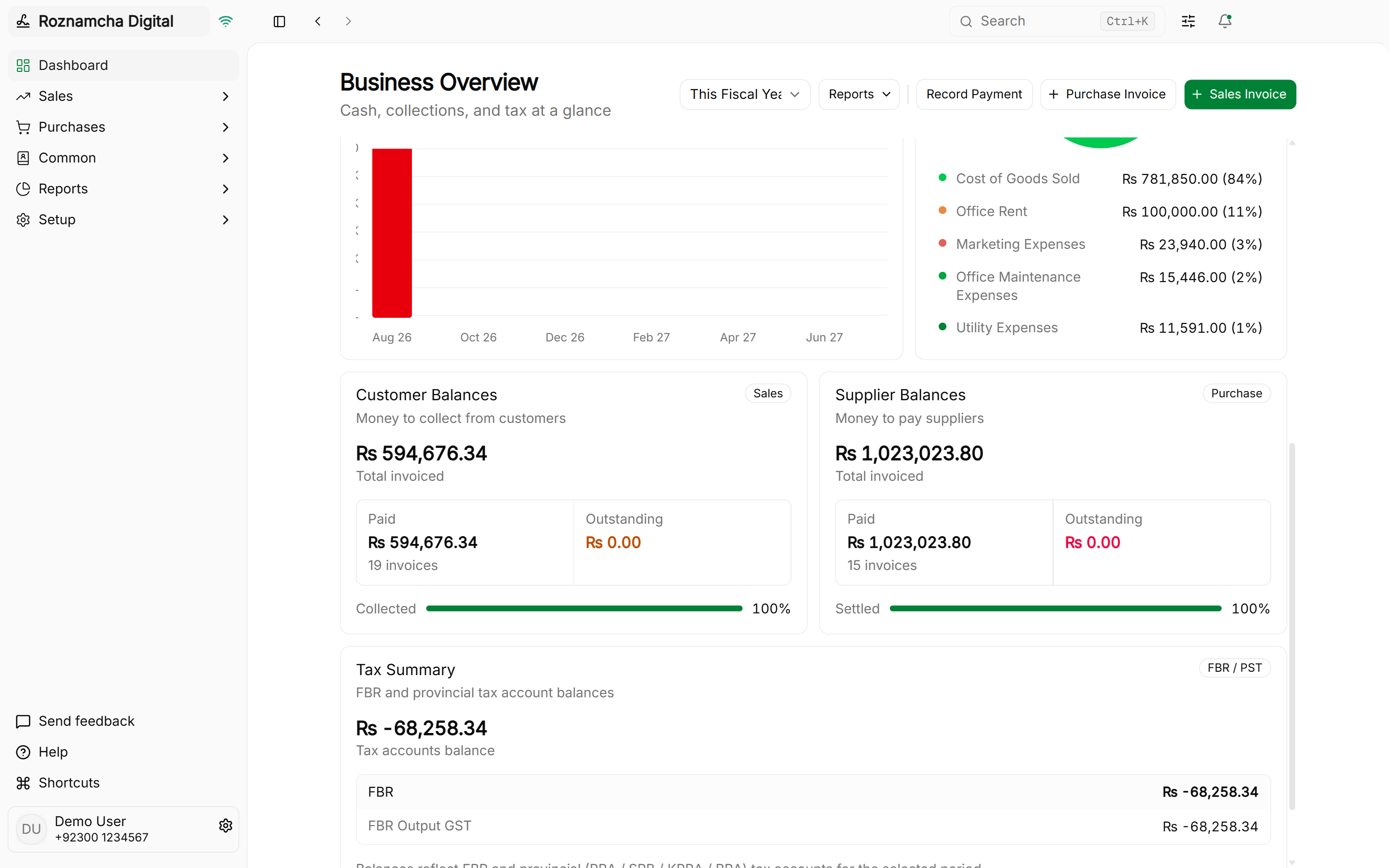
The Dashboard is your morning command center. Every time you open Roznamcha Digital, live cards and charts summarize your financial health in real time without running manual reports.
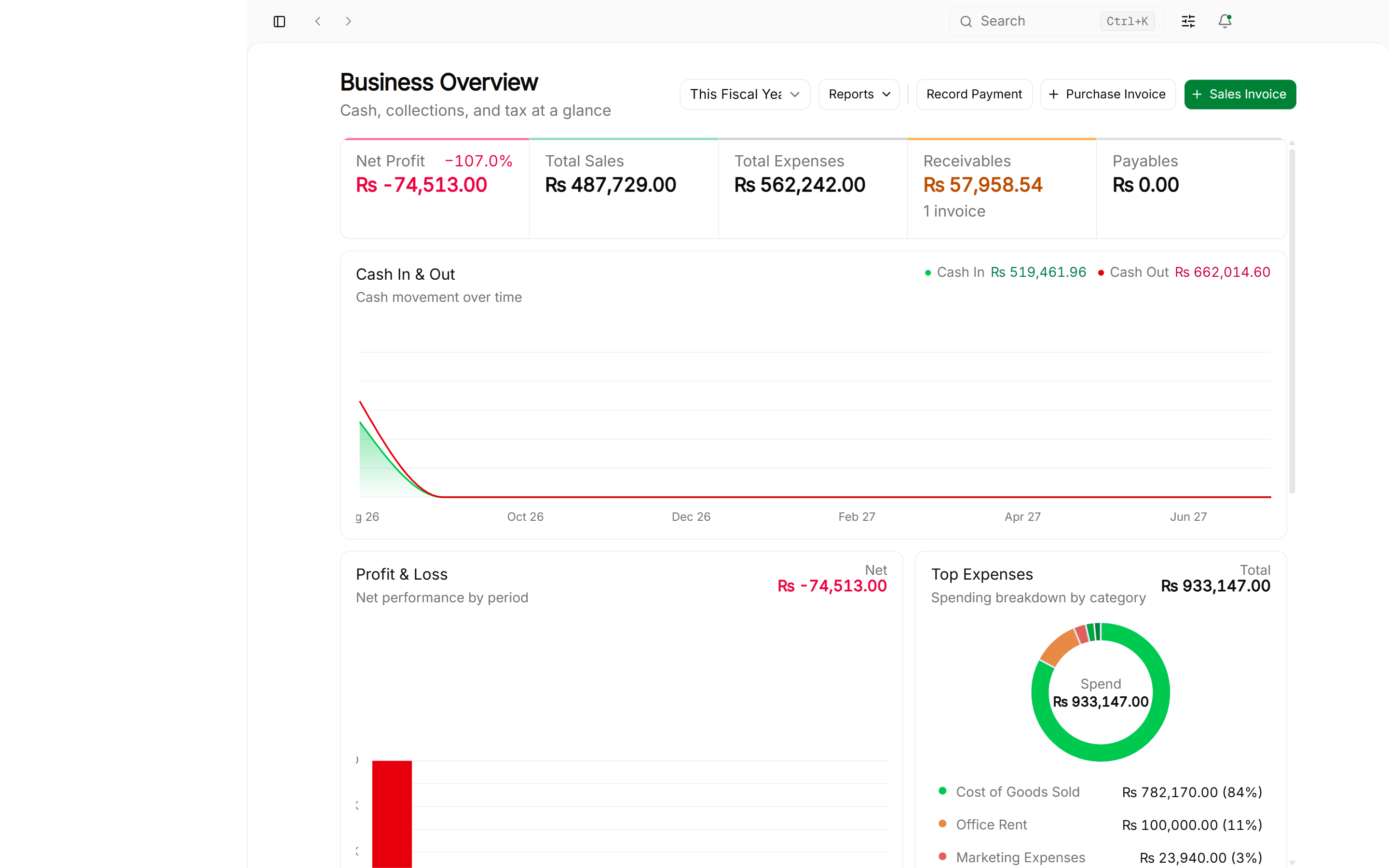
1. Key Performance Indicator (KPI) Summary Cards & Period Selector
The top KPI cards provide immediate visibility into:
- Total Revenue: Cumulative sales billings for the active period.
- Total Expenses: Total merchandise costs and operating overheads.
- Net Profit: Gross income minus total costs.
- Cash & Bank Balance: Liquid funds available across all bank accounts and cash drawers.
- Accounts Receivable: Total outstanding balance owed to you by customers.
- Accounts Payable: Total money owed to suppliers and vendors.
Period Selector Presets
In the dashboard header, switch the analysis timeframe at any moment:
- This Fiscal Year (Default)
- Last Fiscal Year
- This Quarter
- This Month
- YTD (Year-to-Date)
The header automatically computes and displays the inclusive date range for the active preset (e.g., 01-07-2025 – 30-06-2026).
2. Profit and Loss Trend Chart
Visualizes monthly income against expenses to identify seasonal peaks and spending surges:

3. Cash In / Cash Out Flow
Tracks actual liquid money entering and leaving your cash registers and bank accounts:

4. Customer Receivables & Supplier Payables
Displays the top customer debtor balances and supplier payable totals, highlighting overdue accounts requiring immediate collection or settlement:
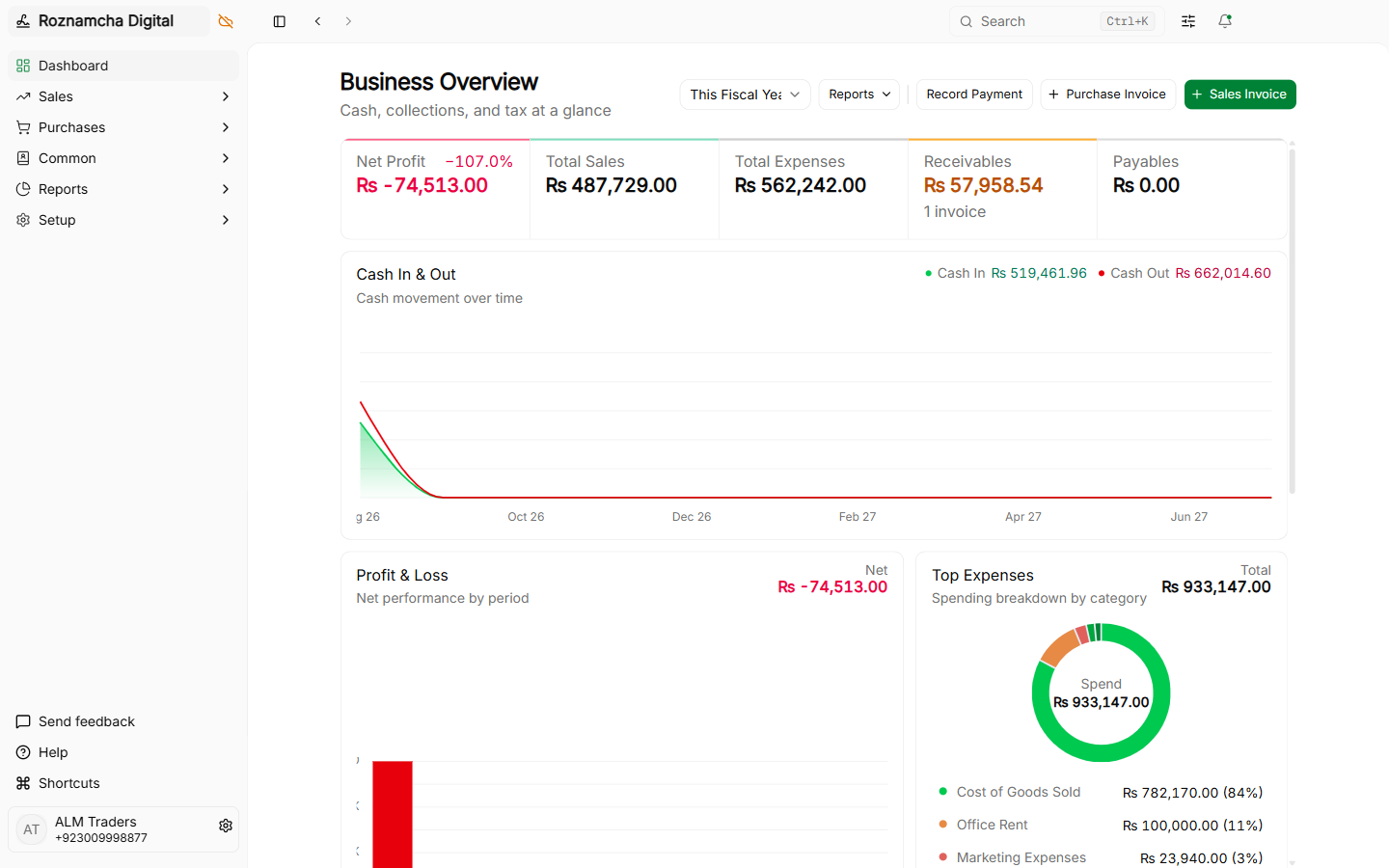
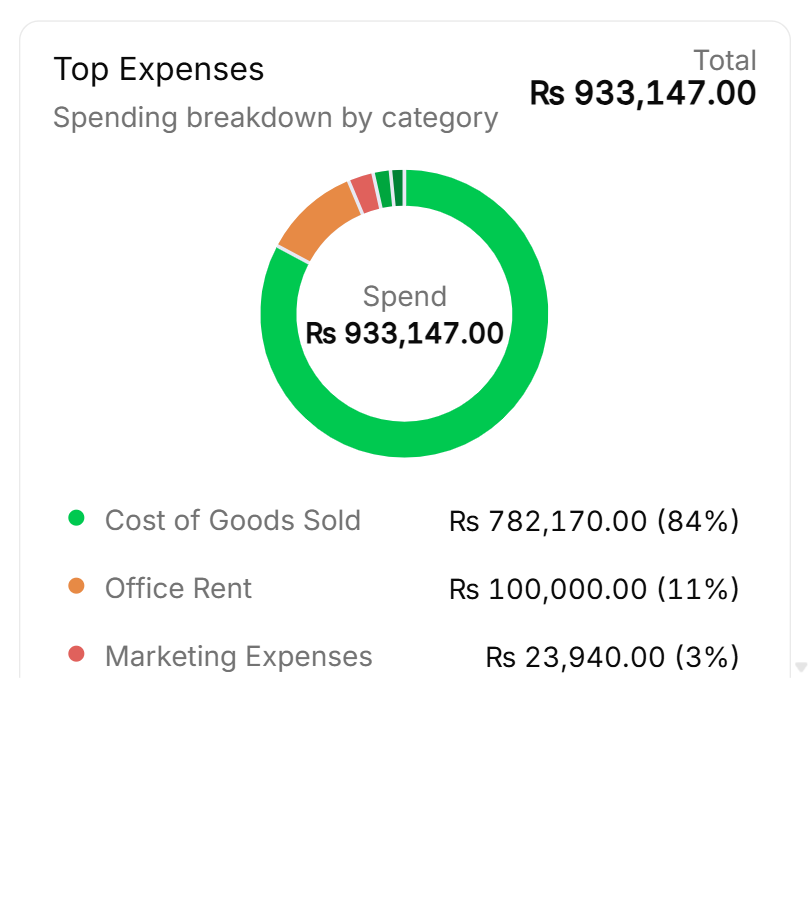
5. Top Business Expenses Card
Ranks your largest overhead categories (e.g. Rent, Salaries, Electricity, Freight) to help control operational spending:
6. Tax Summary & Statutory Balances Card
The Tax Summary panel aggregates all statutory tax accounts:
- Pakistan Edition: Summarizes Federal Board of Revenue (FBR Sales Tax) and provincial revenue authority accounts (PRA / SRB / KPRA / BRA) with a direct link to Tax Templates.
- India Edition: Displays GST liabilities (CGST, SGST, IGST) with quick jump buttons to GSTR-1 and GSTR-2 filing reports.
Global Quick Search & Command Palette (Ctrl+K)
Roznamcha Digital features an ultra-fast global search palette. Press Ctrl + K (or Cmd + K on macOS) from anywhere in the application to instantly find and open any document, master record, report, or action.
The 5 Search Result Groups & Keyboard Shortcuts
Results are grouped into distinct functional categories. You can toggle groups on and off using quick shortcuts:
| Shortcut | Group | Description | Example Results |
|---|---|---|---|
Ctrl + 1 | Docs | Specific saved transaction vouchers and master records | SINV-0042, Ahmad Traders, Basmati Rice 5kg |
Ctrl + 2 | Create | One-click actions to open new document draft forms | New Sales Invoice, New Payment, New Customer |
Ctrl + 3 | List | Direct links to list views of any DocType | Sales Invoices, Customers, Purchase Receipts |
Ctrl + 4 | Report | Financial, inventory, and tax reports | General Ledger, Profit and Loss, Trial Balance |
Ctrl + 5 | Page | Application modules and workspaces | Dashboard, Chart of Accounts, POS, Settings |
Empty-Query "Recent" History
When you open Quick Search without typing a query, the palette automatically shows your Recent visited records and transactions for fast context-switching.
Advanced Search Filters & Exclusions
Click the Filters pill (or press Ctrl + 6) to expand fine-grained search controls:
- Skip Child Tables: Excludes invoice line items and child tables to speed up high-volume record matching.
- Skip Transactions: Limits results strictly to Master records (Parties, Items, Accounts).
- DocType Specific Filter Pills: Check or uncheck individual entity types (e.g. filter only
Customeror onlySalesInvoice).
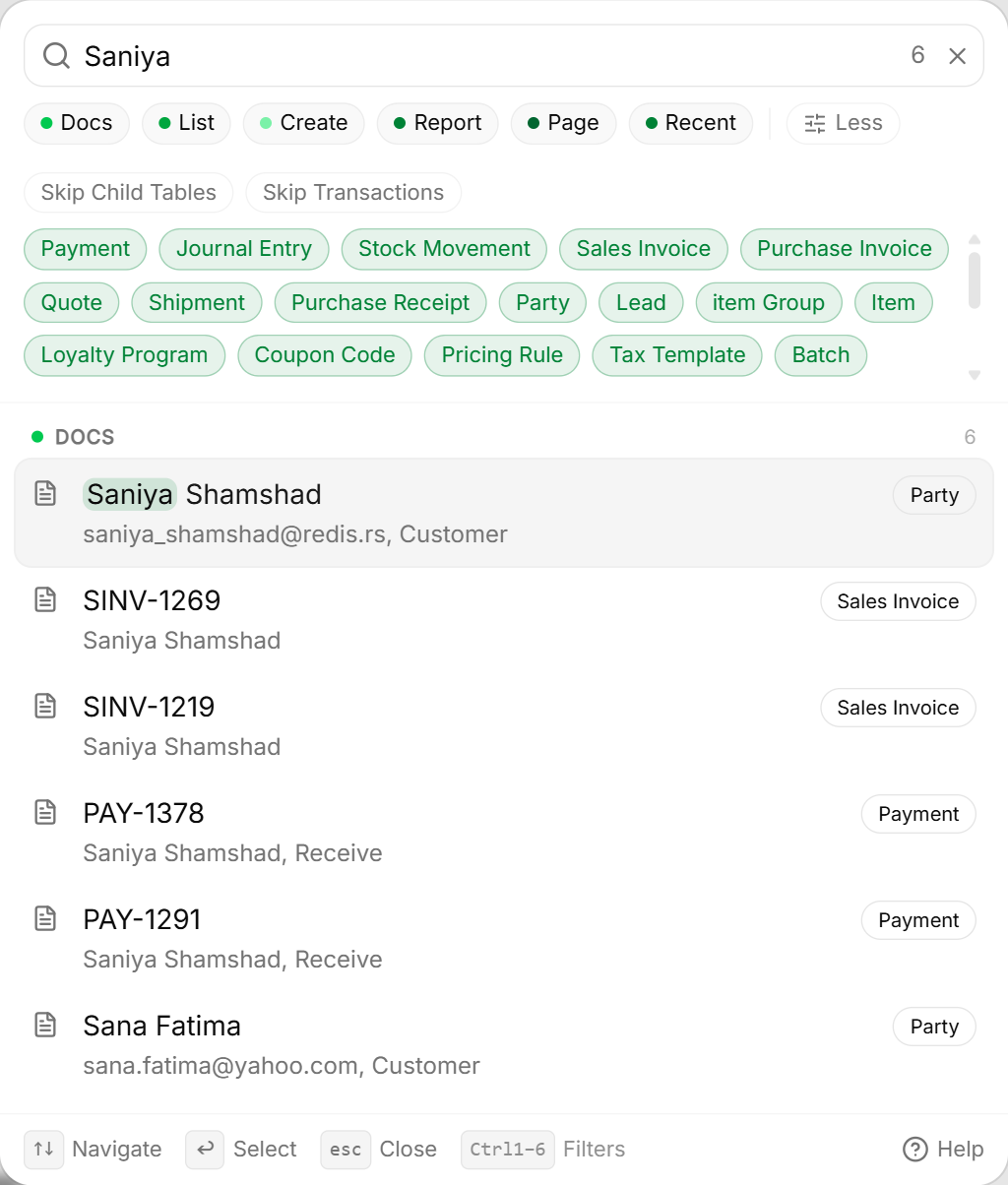
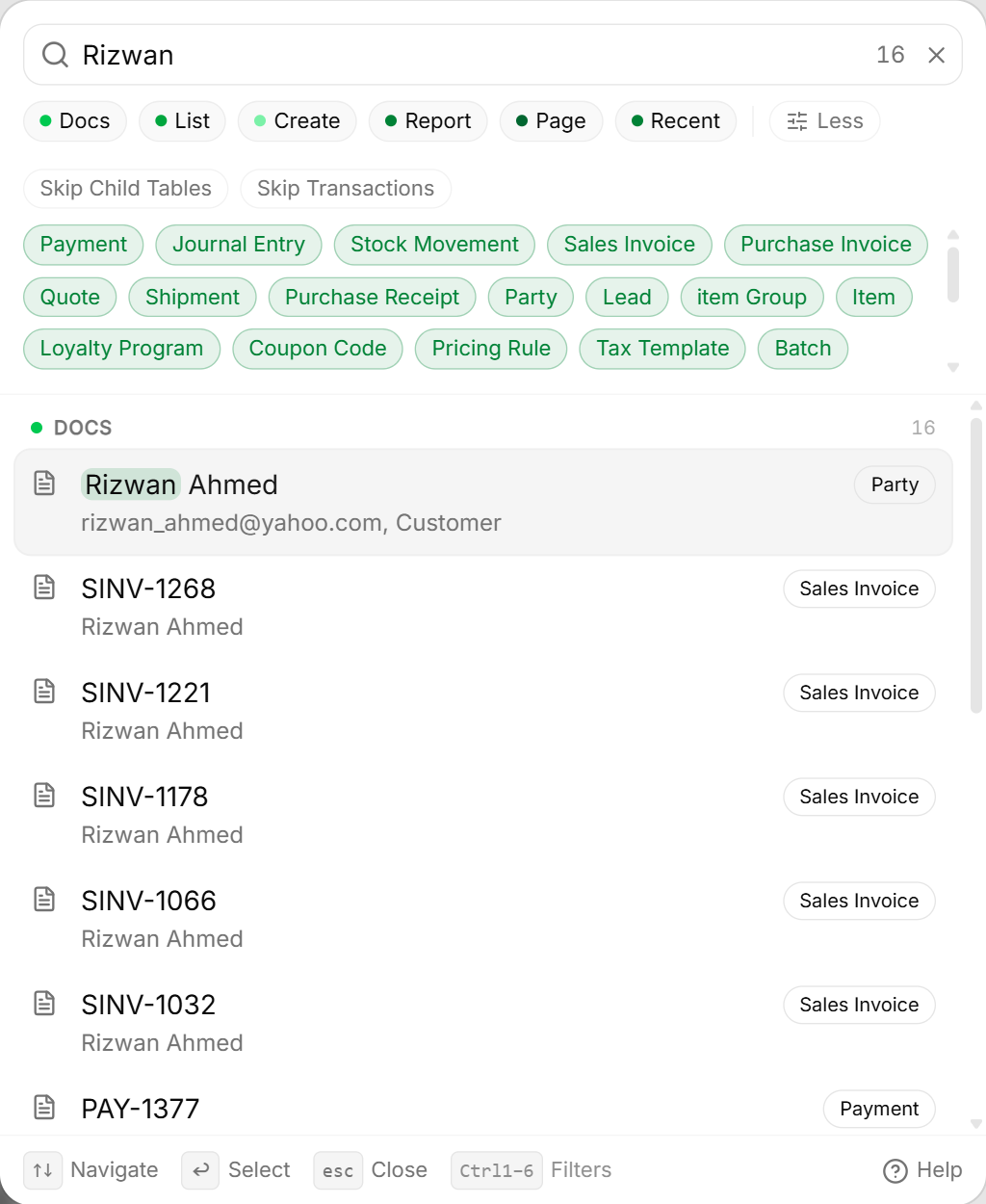
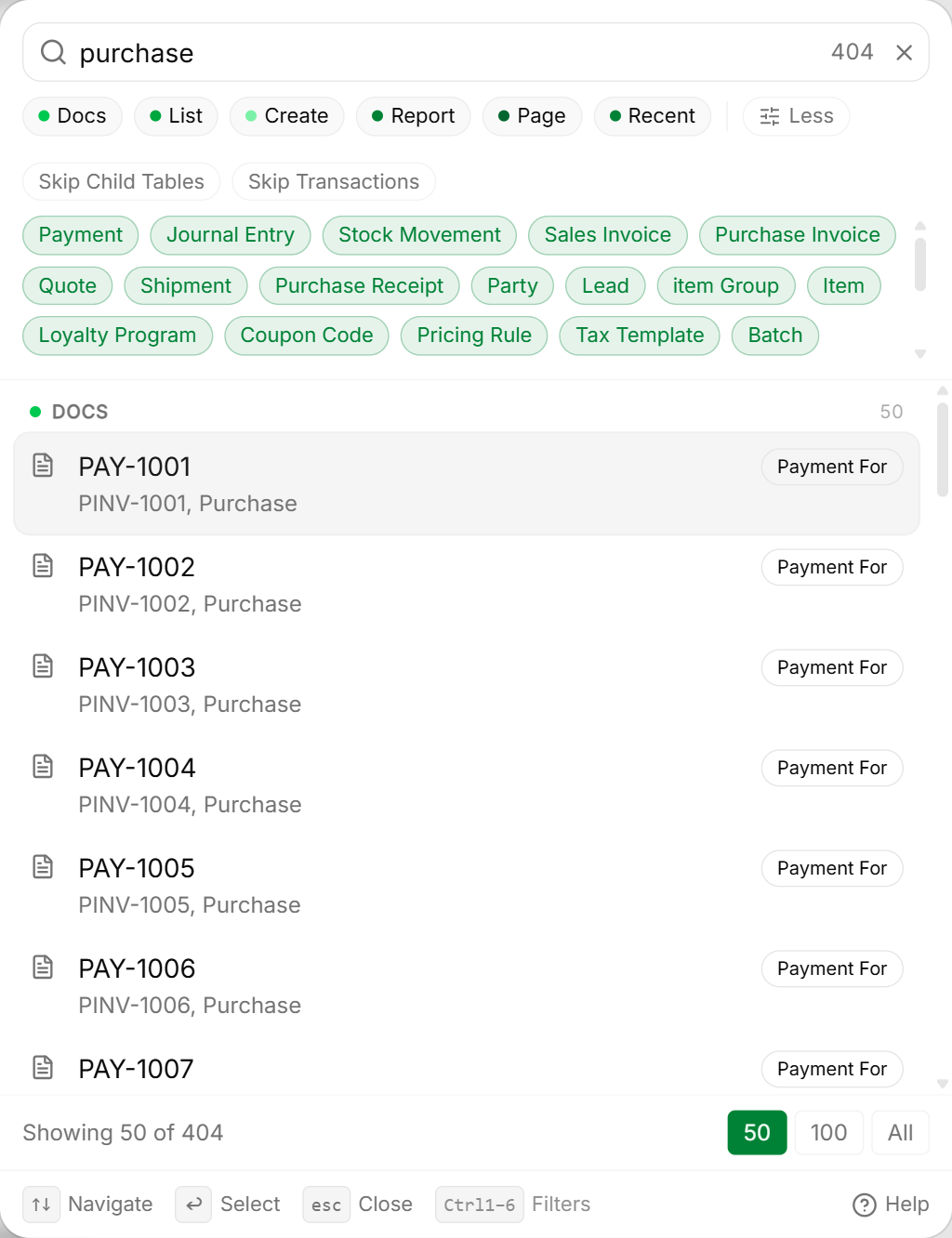
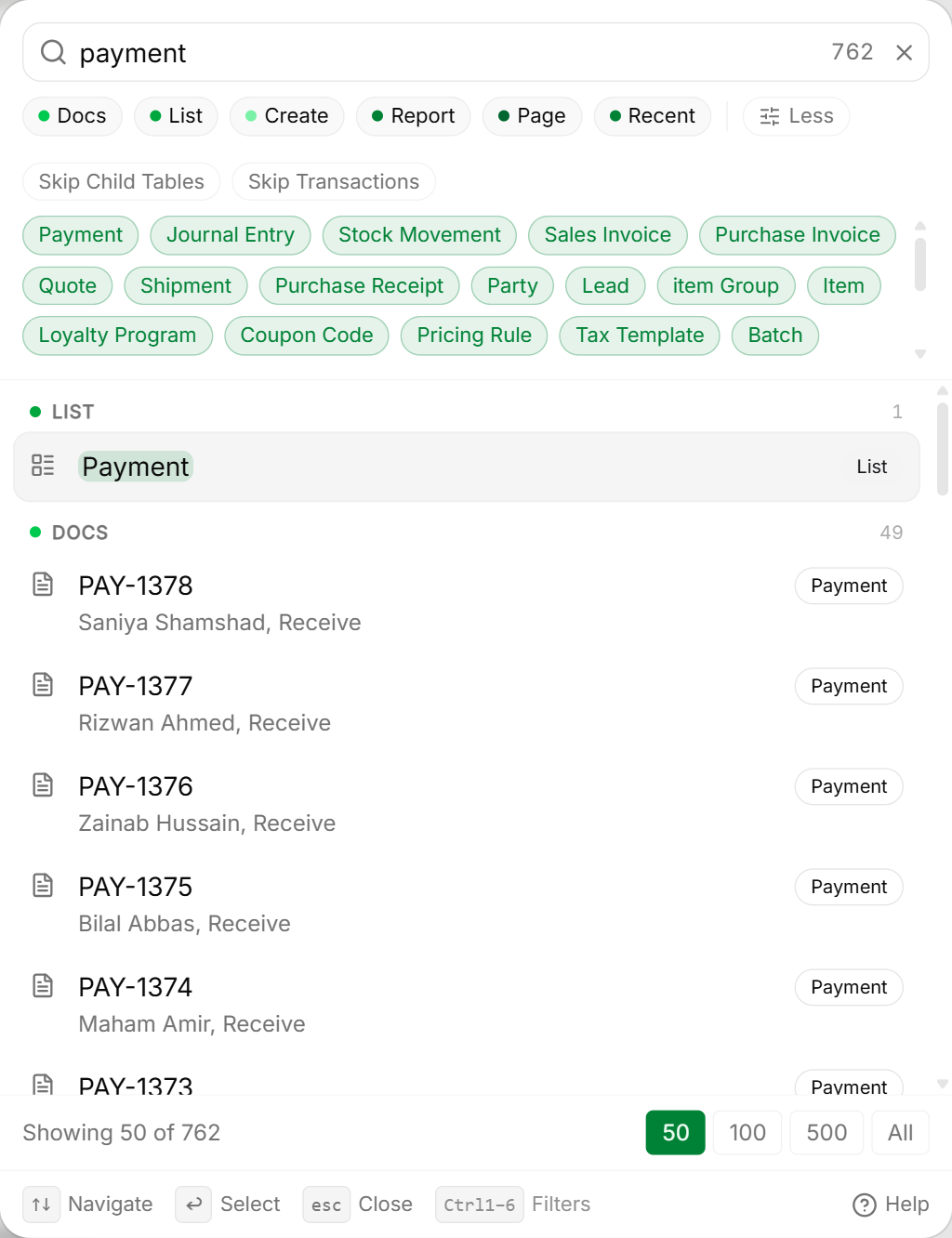
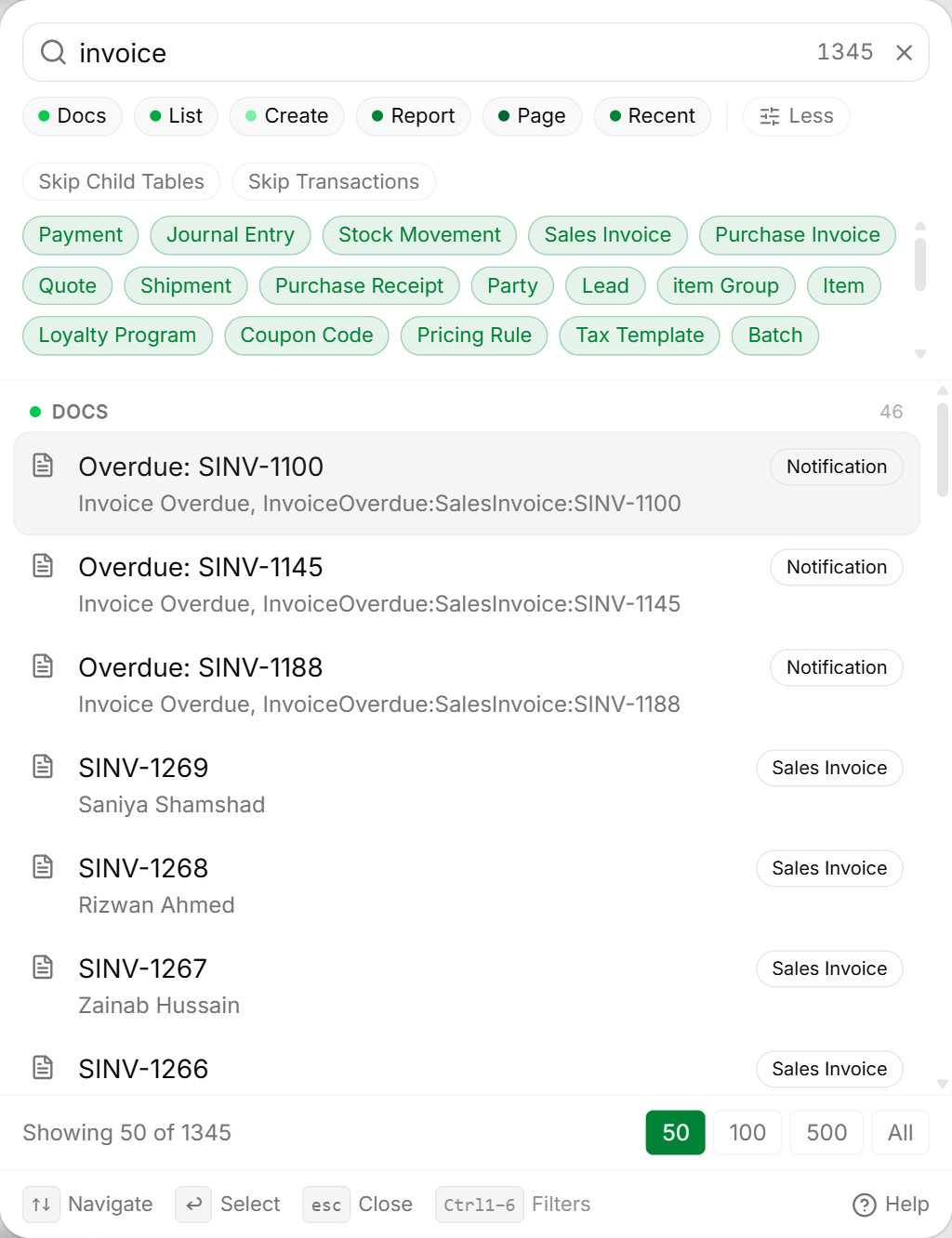
Searching Customers, Suppliers, and Invoices
Type any customer name, phone number, invoice number, or product title:
Universal Keyboard Shortcuts
Roznamcha Digital is optimized for keyboard-first operators. Mastering these shortcuts will cut your daily data entry time in half:
Common Pitfalls & Best Practices
Do Not Manually Move the Active Database File While the App is Open: Always use the built-in Backup feature under Settings > Backups or close the application before copying your company database file.
Use the Command Palette for Everything:
Train your team to use Ctrl+K instead of manual mouse clicks. Typing New Invoice or Meezan Bank jumps directly to the action in under a second.
Knowledge Check
Roznamcha Digital Learning Academy
Master modern offline-first accounting, inventory control, WhatsApp invoicing, and financial reporting with structured, progressive learning modules.
Company Setup & Onboarding
Learn how to sign in with mobile OTP verification, complete the Setup Wizard, configure regional currencies, and manage multiple company files.