Payments, Cash Flow & Multi-Account Banking
Master customer receipts, vendor disbursements, unallocated advances, invoice reconciliation, and bank-to-cash contra transfers.
Learning Objectives
By the end of this guide, you will:
- Understand the 3 Payment Entry Types:
Receive,Pay, andInternal Transfer. - Record Customer Receipts and allocate payments against specific open invoices.
- Handle Unallocated Advance Deposits from clients before invoices are generated.
- Disburse Supplier Payments via Bank, Cheque, or Cash in Hand.
- Execute Internal Contra Transfers between bank accounts and cash drawers.
The 3 Types of Payment Entries
In Roznamcha Digital, all cash and banking transactions are managed through a unified Payment Entry engine:
1. Receiving Customer Payments (Receive)
When a customer pays an outstanding invoice or makes an advance payment:
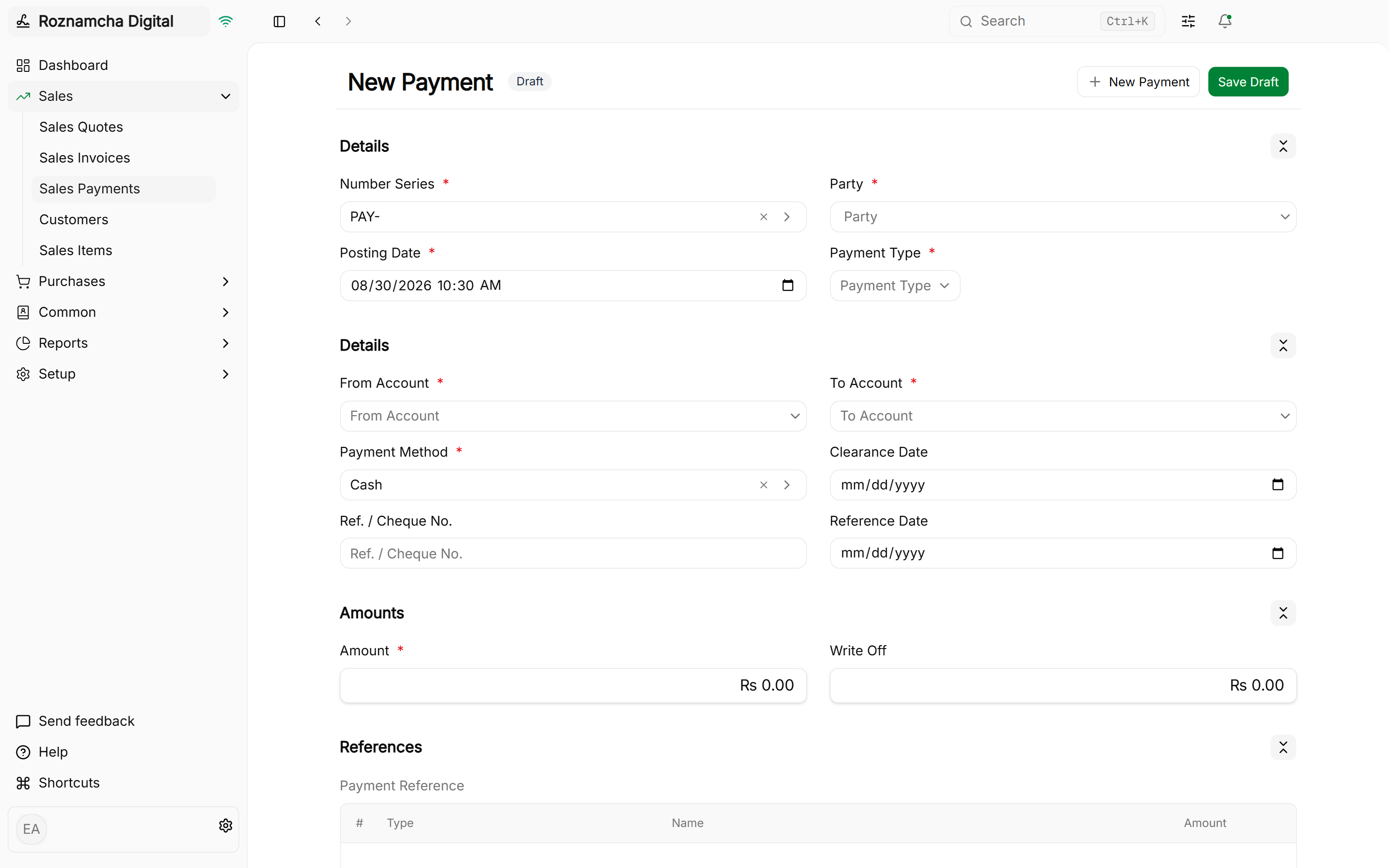
Navigate to Accounting > Payments > New Payment and select Receive:
Quick Payment from Sales Invoice:
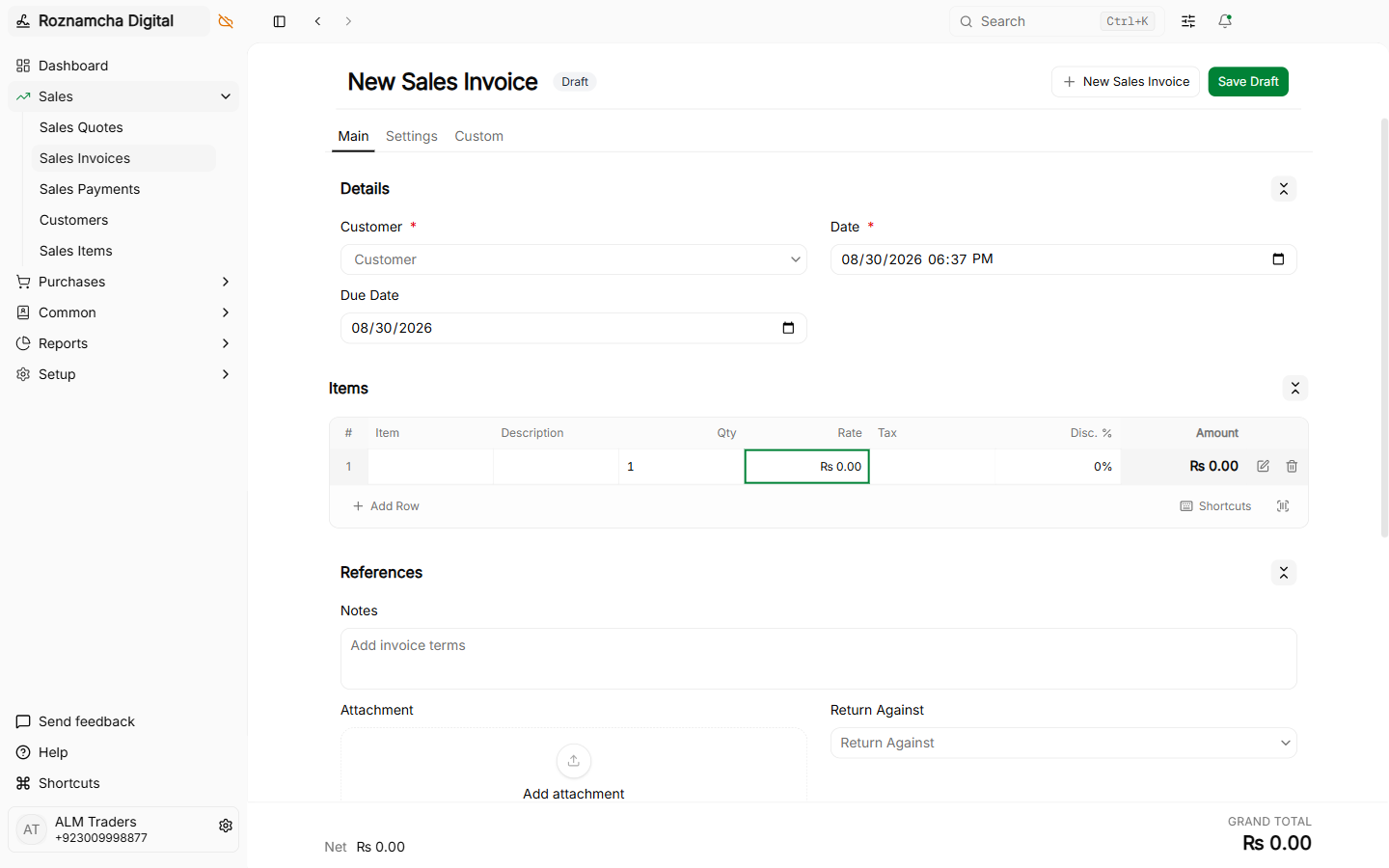
You can also record a payment in one click directly from any submitted Sales Invoice:
Multi-Currency Foreign Payments:
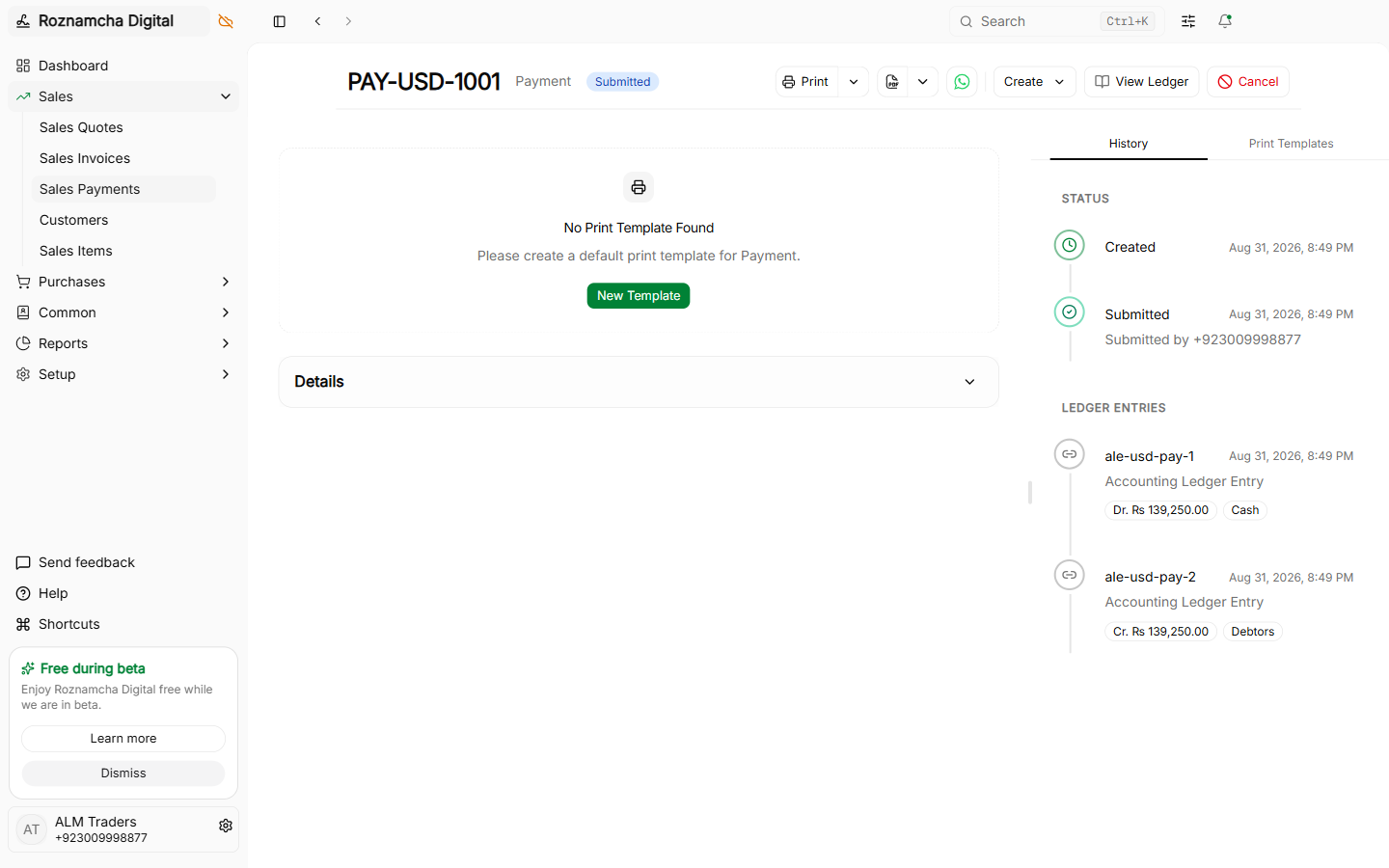
When customers pay in foreign currency (e.g. USD wire transfer):
Small Balance Write-Offs:
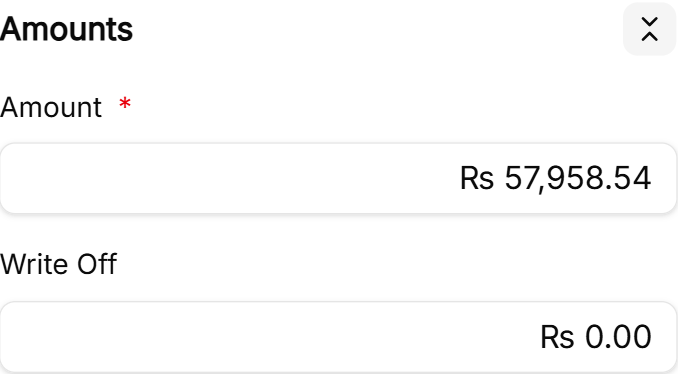
If a customer pays PKR 49,990 for a PKR 50,000 invoice and you wish to forgive the remaining PKR 10 difference, use the Write Off Difference field to automatically balance the account:
2. Paying Suppliers & Vendors (Pay)
When disbursing money to a supplier for merchandise bills:
Navigate to Accounting > Payments > New Payment and select Pay:
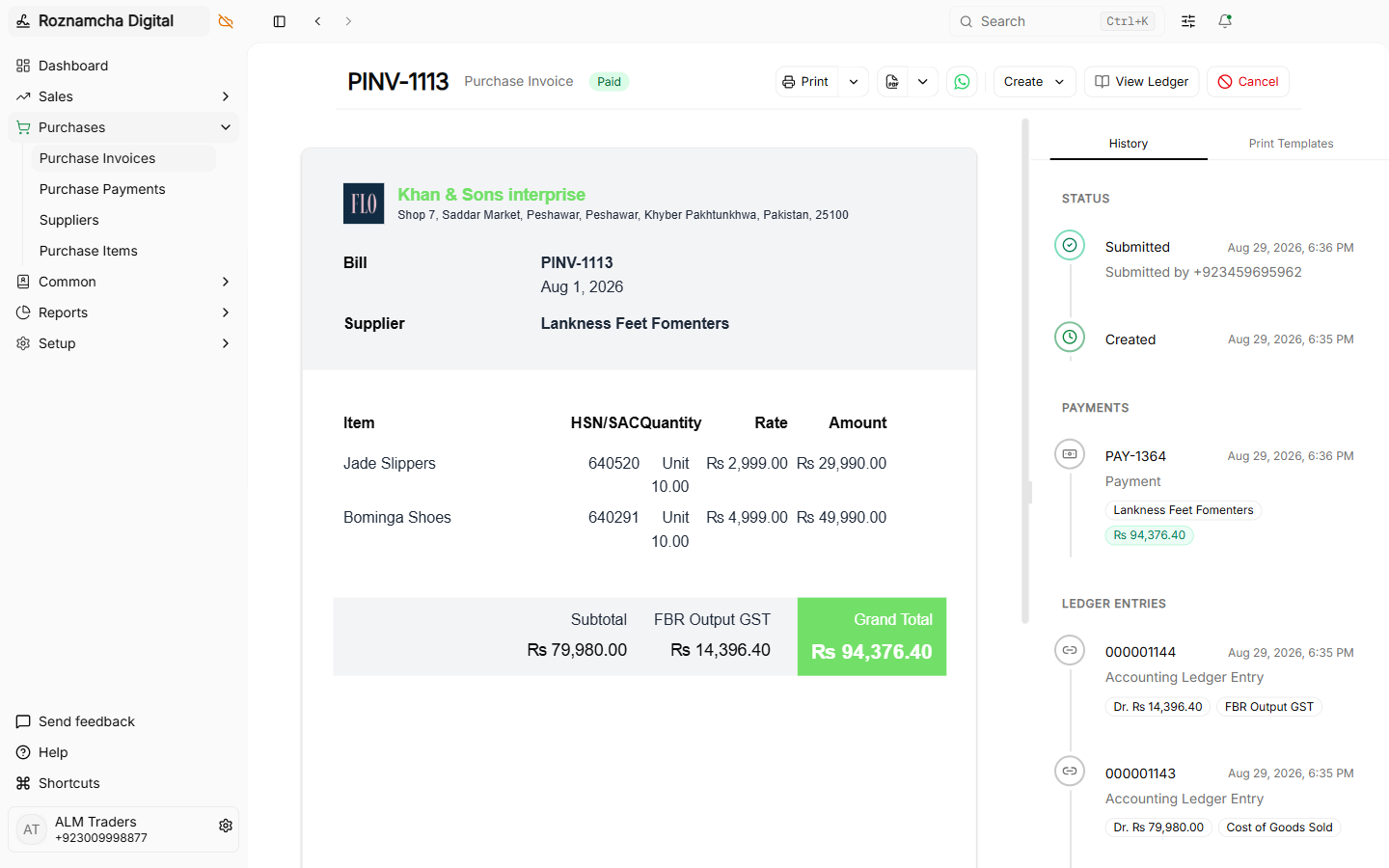
- Party Type:
Supplier. - Party: Select the vendor.
- Pay From (Account): Select your paying Bank Account (e.g. HBL Operating A/C) or Cash in Hand.
- Reference / Cheque #: Enter the cheque number or online banking reference.
- Allocation: Select the unpaid Purchase Invoices to settle.
3. Internal Bank & Cash Transfers (Internal Transfer)
When transferring money between your own accounts (e.g., withdrawing cash from the bank to replenish the shop register, or depositing cash sales into your bank account):
| Account | Type | Debit (PKR) | Credit (PKR) |
|---|---|---|---|
| 1110 Cash in Hand | Current Asset (Cash increased) | 50,000.00 | — |
| 1121 Meezan Bank | Current Asset (Bank decreased) | — | 50,000.00 |
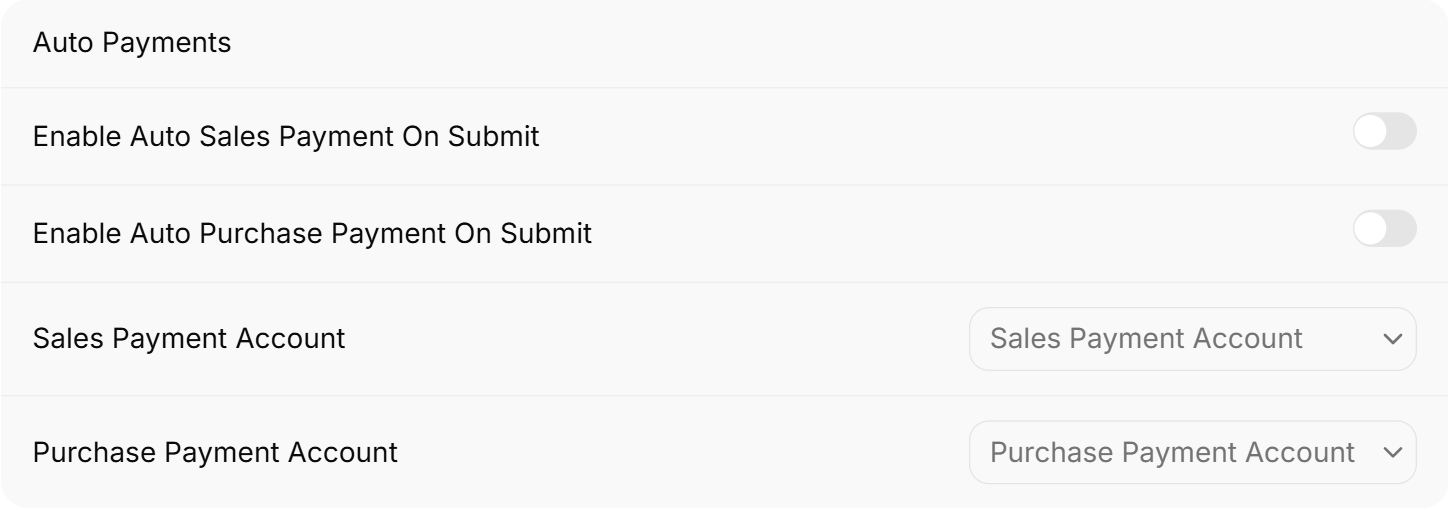
Default Payment Account Configuration
Set your default bank and cash accounts under Settings > Defaults:
Common Pitfalls & Best Practices
Do Not Create Manual Journal Entries for Routine Customer Receipts: Always use Payment Entry (Receive) so the payment properly updates the customer's outstanding invoice balance and prints a receipt voucher.
Record Real Banking Reference Numbers: Always type the online transaction ID, Raast trace number, or Cheque number into the Reference No field. During monthly bank reconciliation, this eliminates guesswork.
Knowledge Check
Procurement: Vendor Bills, Operating Expenses & Debit Notes
Manage supplier procurement, record vendor bills, book operating overhead expenses, and process purchase returns via Debit Notes.
WhatsApp Native Integration & Instant Digital Invoicing
Send high-resolution PDF invoices, image snapshots, and payment receipts directly to client WhatsApp chats with zero third-party fees.